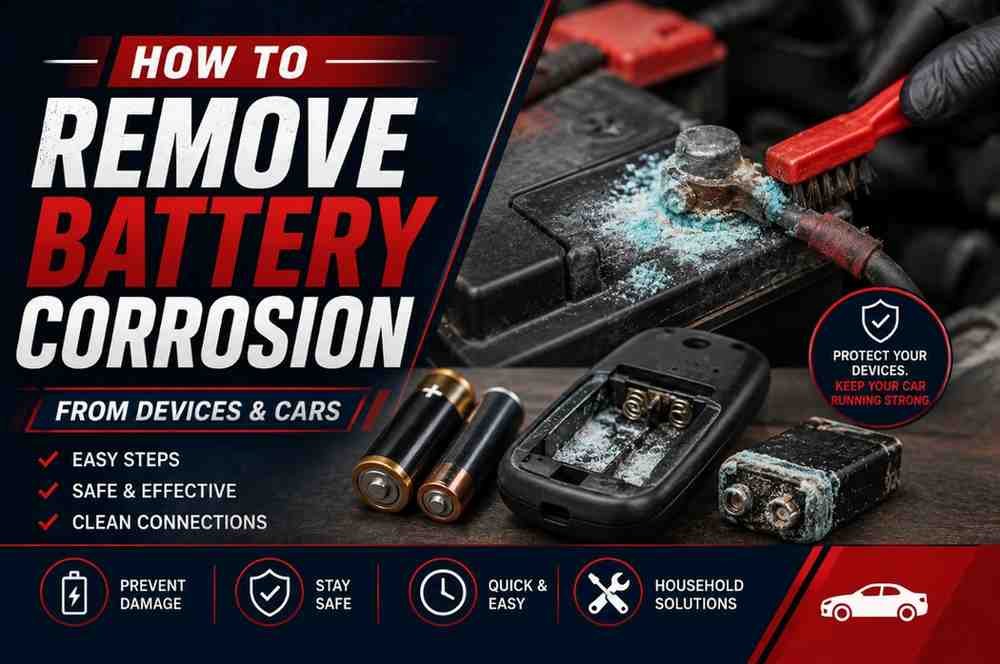
How to Remove Battery Corrosion From Devices and Cars
That crusty white or blue buildup on a battery isn’t just ugly. It’s the reason your flashlight won’t click on, your kid’s toy stopped talking, or your car cranks slower than it did last winter. The good news is that in most cases, you can clear it out in under ten minutes with things you already have in the kitchen.
The tricky part is that not all battery corrosion is the same substance, and using the wrong cleaner can leave you with more residue than you started with. A car battery and a TV remote don’t leak the same chemical, so they don’t call for the same fix. This guide walks through both, explains why they’re different, and covers the safety steps that a lot of shorter tutorials skip.
What Causes Battery Corrosion?
Battery corrosion forms when gas or liquid escapes from inside a battery and reacts with air, moisture, or metal. Every battery holds a small amount of pressure as it discharges. Over time, that pressure finds a way out through the seams and vents, carrying chemicals with it.
A few conditions speed this up:
- Age. Older batteries are far more likely to leak, especially if they’ve been sitting unused for months.
- Heat and humidity. Warm, damp environments accelerate the chemical reactions that cause leaks and rust.
- Overcharging or undercharging. In car batteries, both extremes stress the internal chemistry and push electrolyte out through the vents.
- Mixing battery brands or ages. Pairing an old battery with a new one in the same device can cause the weaker one to leak.
- Physical damage. A cracked case, a dented terminal, or a battery that’s been dropped is far more prone to leaking.
Alkaline Batteries vs. Lead-Acid Batteries: Two Different Chemicals
This is the part most cleaning guides get wrong, and it’s the reason baking soda works great on one type of corrosion and does almost nothing on the other.
AA, AAA, C, D, and 9-volt batteries are alkaline. When they leak, they release potassium hydroxide, a caustic base. Exposed to air, it reacts with carbon dioxide and dries into the white, crystalline crust you see around battery contacts in remotes, toys, and flashlights. Because it’s a base, you neutralize it with a mild acid — white vinegar or lemon juice.
Car batteries are lead-acid. They’re filled with a sulfuric acid electrolyte solution. As the battery charges and discharges, it vents small amounts of hydrogen gas and acid vapor, which react with the metal terminals and cable clamps. Because this residue is acidic, you neutralize it with a base — baking soda mixed with water.
Use the wrong one and you’ll get a much weaker reaction, or none at all. That’s the single most useful thing to know before you start scrubbing.
What the Color of Car Battery Corrosion Tells You
If you pop the hood and see buildup on the terminals, the color is actually a clue:
| Corrosion color | Likely cause |
|---|---|
| White or grayish powder | Lead sulfate, usually from an undercharged battery or normal gas venting |
| Blue or greenish crust | Copper sulfate, forming where copper cable clamps react with acid vapor — often linked to overcharging |
Corrosion on the negative terminal usually points to normal aging or a battery that isn’t getting a full charge. Corrosion concentrated on the positive terminal, especially the blue-green kind, is more often tied to overcharging or a failing voltage regulator. If you’re seeing heavy buildup again within a few weeks of cleaning, it’s worth having your charging system tested rather than just cleaning the terminals on repeat.
Is Battery Corrosion Dangerous? Safety First
Both types of battery residue are corrosive enough to irritate skin and eyes, so it’s worth taking a minute to gear up before you touch anything.
- Wear gloves. Rubber or nitrile gloves keep the residue off your skin.
- Wear eye protection. Splashes and airborne dust from scrubbing dried corrosion can reach your eyes faster than you’d expect.
- Work in a ventilated space. A garage with the door open or a room with a window cracked is enough for household cleaning; for car batteries, work outdoors or in a well-vented garage.
- Never touch corrosion with bare hands, and keep your hands away from your face while you work.
- Remove batteries from small devices before cleaning, and disconnect a car battery’s cables before touching the terminals.
If corrosion or battery acid does touch your skin, flush the area with cool running water for 15 to 20 minutes. For eye contact, flush continuously for at least 15 minutes and call Poison Control at 1-800-222-1222 or seek emergency care — sulfuric acid splashes in the eyes need professional evaluation, not just a home rinse. Chemical burns from lead-acid batteries can worsen quickly, so don’t wait to see if irritation goes away on its own.
Tools and Materials You’ll Need
You probably have most of this already.
For electronics, toys, remotes, and flashlights:
- White vinegar or lemon juice
- Cotton swabs or an old toothbrush
- Isopropyl alcohol (90% or higher works best)
- A small dish for mixing
- Gloves and safety glasses
For car batteries:
- Baking soda
- Water
- A wire brush or a dedicated battery terminal cleaning tool
- An old toothbrush for tight spots
- Petroleum jelly or dielectric grease
- Gloves and safety glasses
- A wrench to disconnect the cables
Skip the metal scouring pads, bleach, or full-strength ammonia — they can pit soft metal contacts or react unpredictably with leftover acid.
How to Remove Battery Corrosion From Electronics
This method works for remotes, toys, cameras, wireless mice, and any device powered by AA, AAA, C, D, or 9V batteries. It also handles corrosion on the battery contacts and springs, which is usually where the buildup concentrates.
- Power off the device and remove the batteries. Throw away any leaking batteries — they can’t be reused.
- Dip a cotton swab in white vinegar or lemon juice. Dab it directly onto the corroded contacts. You’ll see it start to fizz slightly as it reacts with the residue.
- Let it sit for one to two minutes, then scrub gently with the swab or an old toothbrush until the crust lifts.
- Switch to a dry swab and wipe away the loosened residue. Repeat with fresh vinegar if any crust remains.
- Finish with isopropyl alcohol. Dip a clean swab and wipe down the contacts to remove any leftover moisture or acid residue. Alcohol evaporates quickly and won’t damage circuitry the way water can.
- Let everything air-dry completely before inserting fresh batteries — give it at least 15 minutes.
Flashlight tip: Batteries that have leaked inside a metal flashlight tube can swell and get stuck. Don’t force them out with a screwdriver, which can puncture the casing and release more chemical. Instead, tap the flashlight gently on a padded surface, or use a pair of needle-nose pliers to grip the exposed end and twist. If a battery is truly stuck, a hardware store or battery specialty shop can often extract it safely.
How to Remove Corrosion From a Car Battery
Car battery corrosion calls for a different neutralizer because you’re dealing with acid, not alkali.
- Park on level ground and turn off the engine. Put on gloves and eye protection.
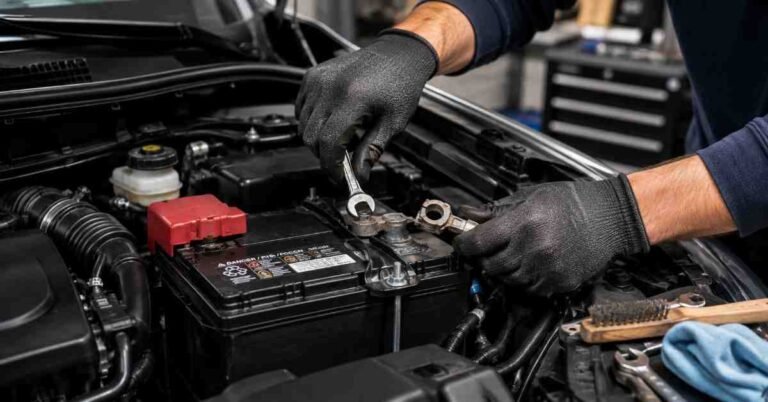
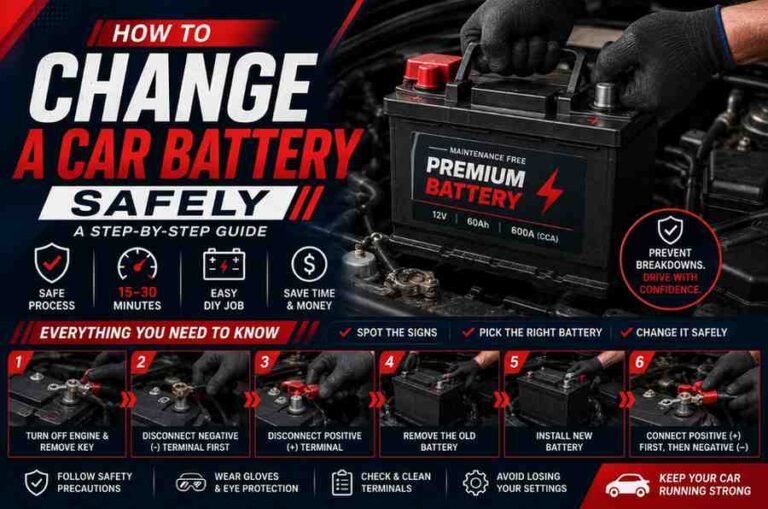
- Disconnect the cables, negative terminal first, then positive. Disconnecting the negative cable first reduces the risk of a spark or short circuit. If corrosion is heavy or you want full access to the tray underneath, this is also a good point to learn how to remove a car battery entirely, since it makes scrubbing every surface much easier.
- Mix a paste of baking soda and water — roughly two tablespoons of baking soda to one tablespoon of water works well.
- Apply the paste to the corroded areas with a brush or old toothbrush. It will bubble as it neutralizes the acidic residue; that reaction is normal and means it’s working.
- Scrub the terminals and cable clamps, using a wire brush or terminal cleaning tool for stubborn buildup. Apply light, steady pressure rather than aggressive scraping, which can damage the metal.
- Rinse with a small amount of clean water, being careful not to let excess water run into the battery vents or onto the tray.
- Dry thoroughly with a cloth. Don’t use a heat gun or hair dryer — excess heat near a battery is a genuine hazard.
- Reconnect the cables, positive terminal first, then negative, and tighten securely.
- Coat the clean terminals with a thin layer of petroleum jelly or dielectric grease. This is the step most people skip, and it’s the one that actually slows down future corrosion.
If the corrosion has eaten into the terminal itself, or the battery is more than four or five years old and keeps corroding no matter how often you clean it, that’s usually a sign the battery is nearing the end of its life rather than a cleaning problem.
Why Coca-Cola Isn’t the Fix People Think It Is
The “pour Coke on your battery terminals” trick has been circulating for decades, and there’s a kernel of truth in it: cola does contain phosphoric acid, and Coca-Cola itself has acknowledged the acid can help loosen rust or corrosion. But that’s exactly the problem when it comes to car battery corrosion — you’re adding more acid to a surface that’s already acidic, rather than neutralizing it.
Cola also leaves behind a sugary, sticky film that attracts dust and dirt, which can lead to a fresh round of buildup within weeks. A baking soda and water paste actually neutralizes the acid instead of adding to it, and it rinses away clean. Save the soda for drinking.
Preventing Battery Corrosion From Coming Back
A few small habits go a long way toward keeping terminals and contacts clean.
For household electronics:
- Remove batteries from devices you won’t use for more than a month or two, like seasonal toys, remotes for guest rooms, or emergency flashlights.
- Store loose batteries in their original packaging or a plastic battery organizer, not loose in a drawer where terminals can touch metal or each other.
- Buy batteries with a long shelf life and check expiration dates before storing extras.
- Avoid mixing old and new batteries, or different brands, in the same device.
For car batteries:
- Check terminals every few months, or whenever you check your oil.
- Keep the battery area clean and dry, and make sure the vent caps (on batteries that have them) aren’t blocked.
- Have your charging system tested if corrosion keeps returning — a faulty alternator or voltage regulator can overcharge the battery repeatedly.
- Apply terminal protector spray, felt anti-corrosion washers, or dielectric grease after every cleaning.
- Keep an eye on battery age. Most car batteries last three to five years, and even drivers of the most reliable SUV models on the road still need to budget for a replacement battery on that same rough timeline.
Common Mistakes to Avoid
- Using the wrong neutralizer. Baking soda on an alkaline battery leak, or vinegar on a car battery, won’t work nearly as well as the matched pair.
- Skipping gloves and eye protection. Both types of corrosion can irritate skin, and dried crust can flake into the air while you scrub.
- Rinsing electronics with tap water. Minerals in tap water can leave new deposits on contacts; stick to isopropyl alcohol for a final wipe-down instead.
- Not disconnecting the battery first. Whether it’s a car battery or a device, working around a live connection raises the risk of shock or short circuit.
- Scrubbing too hard. Aggressive scraping with metal tools can scratch contacts and terminals, which actually makes future corrosion worse by creating more surface area for it to grip.
- Skipping the protective coating. Cleaning without applying petroleum jelly or a terminal protector afterward means you’ll likely be back here again in a month.
How to Safely Dispose of Corroded Batteries
Never throw a corroded battery straight in the trash. Leaking batteries can continue to react with moisture in a landfill, and several states, including California, ban tossing alkaline batteries in household trash altogether. Lead-acid car batteries are federally regulated as hazardous waste and are illegal to landfill in most states.
The lead-acid battery industry has one of the highest recycling rates of any consumer product in the country — the EPA reports roughly 99% of lead-acid batteries get recycled each year, largely because retailers are required to accept old batteries when you buy a new one. Most auto parts stores, big-box retailers, and battery specialty shops will take a corroded car battery off your hands at no charge, and many charge a small deposit (“core charge”) that’s refunded when you bring the old one in.
For household alkaline batteries, look for a drop-off bin at a hardware store, office supply store, or battery retailer. Many municipalities also accept them at household hazardous waste collection sites.
Frequently Asked Questions
Does baking soda work on all battery corrosion? No. Baking soda neutralizes acidic corrosion, which is what you’ll find on lead-acid car batteries. It’s far less effective on alkaline battery corrosion, which is already a base — vinegar or lemon juice works better there.
Is it safe to use battery corrosion once it’s cleaned off? The corrosion itself can’t be reused or “put back.” Once you’ve cleaned a device or terminal, the underlying battery or contacts are either fine to reuse (if only surface corrosion was present) or need replacing (if the leak damaged the contacts themselves).
How do I remove corrosion from battery terminals on a car without removing the battery? You can usually clean terminals in place. Disconnect the cables, apply the baking soda paste directly to the posts and clamps while the battery stays in the tray, then rinse carefully with a small amount of water, keeping it away from the vents.
Can I use Coca-Cola or another soda to clean battery corrosion? It’s not recommended. The acid in soda can loosen light rust, but it adds acid to a battery that’s already acidic and leaves a sticky, sugary residue that attracts more grime.
Why does my car battery keep corroding even after I clean it? Recurring corrosion, especially the blue-green kind, often points to overcharging or a battery nearing the end of its lifespan. Have your charging system tested, and consider a terminal protector spray as a stopgap while you figure out the root cause.
Is battery corrosion dangerous to touch? Yes, both alkaline and lead-acid residue are corrosive enough to irritate skin and eyes on contact. Wear gloves and eye protection, and flush any skin contact with water for 15 to 20 minutes.
Keeping Your Batteries Corrosion-Free
Battery corrosion looks worse than it usually is to fix. Match the neutralizer to the chemistry — vinegar or lemon juice for alkaline batteries in your electronics, baking soda and water for lead-acid car batteries — and most buildup comes off in a few minutes with basic household supplies. Add a protective coating afterward, check terminals every couple of months, and you’ll spend a lot less time scrubbing crust off contacts going forward.